Sign in to Sportsman’s Paradise
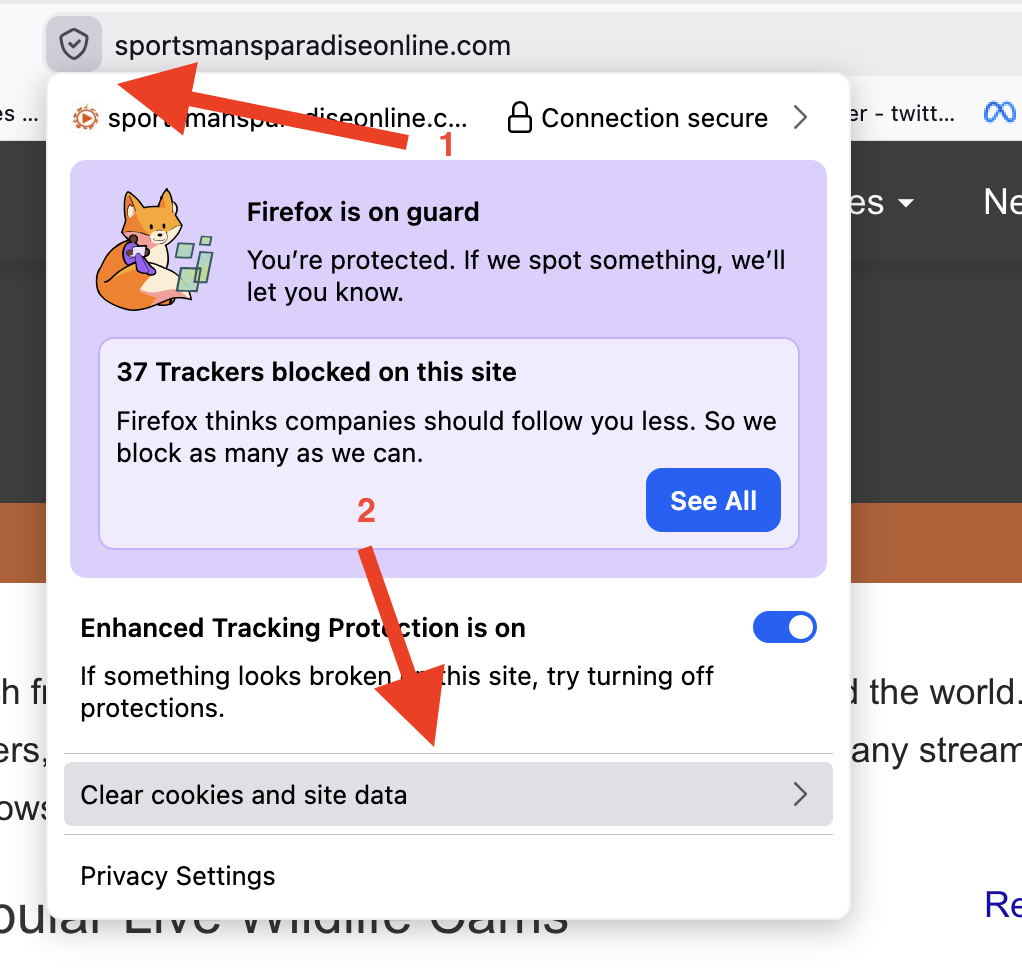
If you are having issues logging in you will need to clear your site cache. Due to a recent security update we have had to change the login and your browser is holding onto the old method. If you are using google chrome copy and paste this into your browser then select “delete data”. It will only delete the SPO login data and no other site data. Your user account is safe. It will not touch any other website login or saved passwords ect.. For chrome copy/paste: chrome://settings/content/siteDetails?site=https%3A%2F%2Fsportsmansparadiseonline.com
If you are using firefox see the photo below.